AI Work Apps

Build and run AI Work Apps — under your control.

Every company has invoices, receipts, VAT and year-end closing to do — so we built them as our first AI Work Apps. Try them on Cloud today, or build the Work Apps your company needs with Self-hosted, free.

Get it on Google Play

Demo of two Work Apps. Swiss VAT: the user asks how to do the Q4 2026 VAT return, uploads the bank statement, receipts and invoices, the AI matches every bank transaction, asks about two payments it cannot know, shows the numbers for the VAT form, and the user confirms and locks the quarter. Invoices: the user asks the AI for an invoice to a partner company, checks the preview, issues it and sends it by email.

  1. 1

    Your work, month by month

    Every period gets its own task, so nothing gets mixed up and you always know where you are.

  2. 2

    Just say it — or ask

    Tell the AI what to do in plain words. Not sure how the app works? Ask it — no manual needed.

  3. 3

    The app does the exact part

    The AI fills the tables and documents, fixed code calculates the numbers, and you confirm.

Any hard work can become a Work App

  • Invoices
  • Receipts
  • VAT return
  • Year-end closing
  • Payroll
  • Bank reconciliation
  • Your own process
Build your own

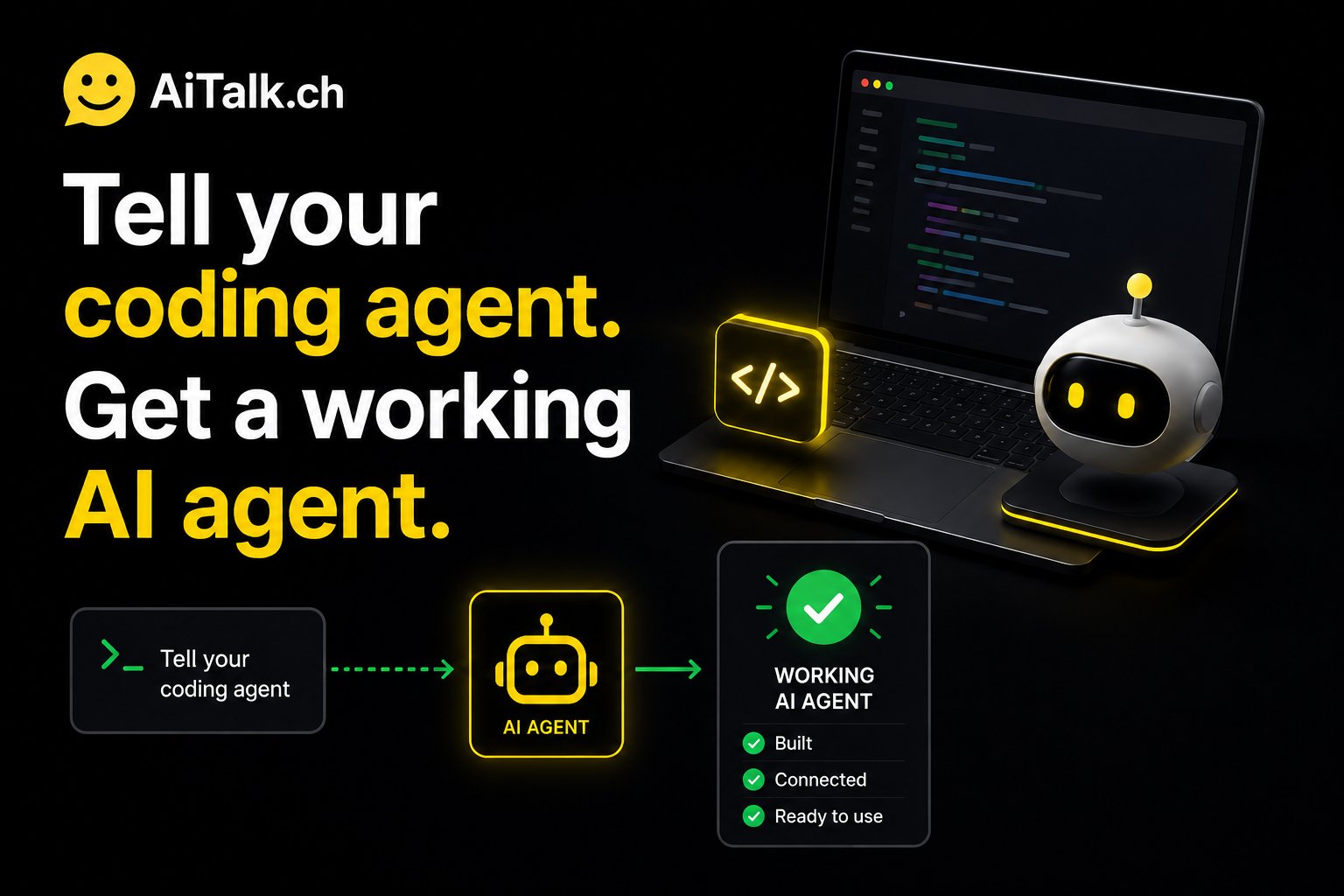
Your coding agent builds the Work App. Free.

Install AI Talk Self-hosted on your laptop or your company server and connect a coding agent. Describe your process in plain words — the agent writes the Work App for you on the same core: the same fence, the same sheets, the same audit log.

  1. 1

    Install Self-hosted

    On your own computer or your company server. Free for your own company.

  2. 2

    Open it in your coding agent

    Codex, Claude Code or Antigravity reads our step-by-step guide and learns how a Work App is made.

  3. 3

    Tell it how your work goes

    Explain your process in your own words. The coding agent builds the app and adds it to your installation — and nothing the AI writes is final until a person confirms it.

Works with

  • OpenAI Codex
  • Claude Code
  • Google Antigravity
View on GitHub

Built a Work App others could use?

Contact us to bring it to AI Talk Cloud. Or tell us about your process and we build the Work App together with you.

Contact us
Agent Studio · Connect Work Apps

Connect your Work Apps — run the whole company as one flow.

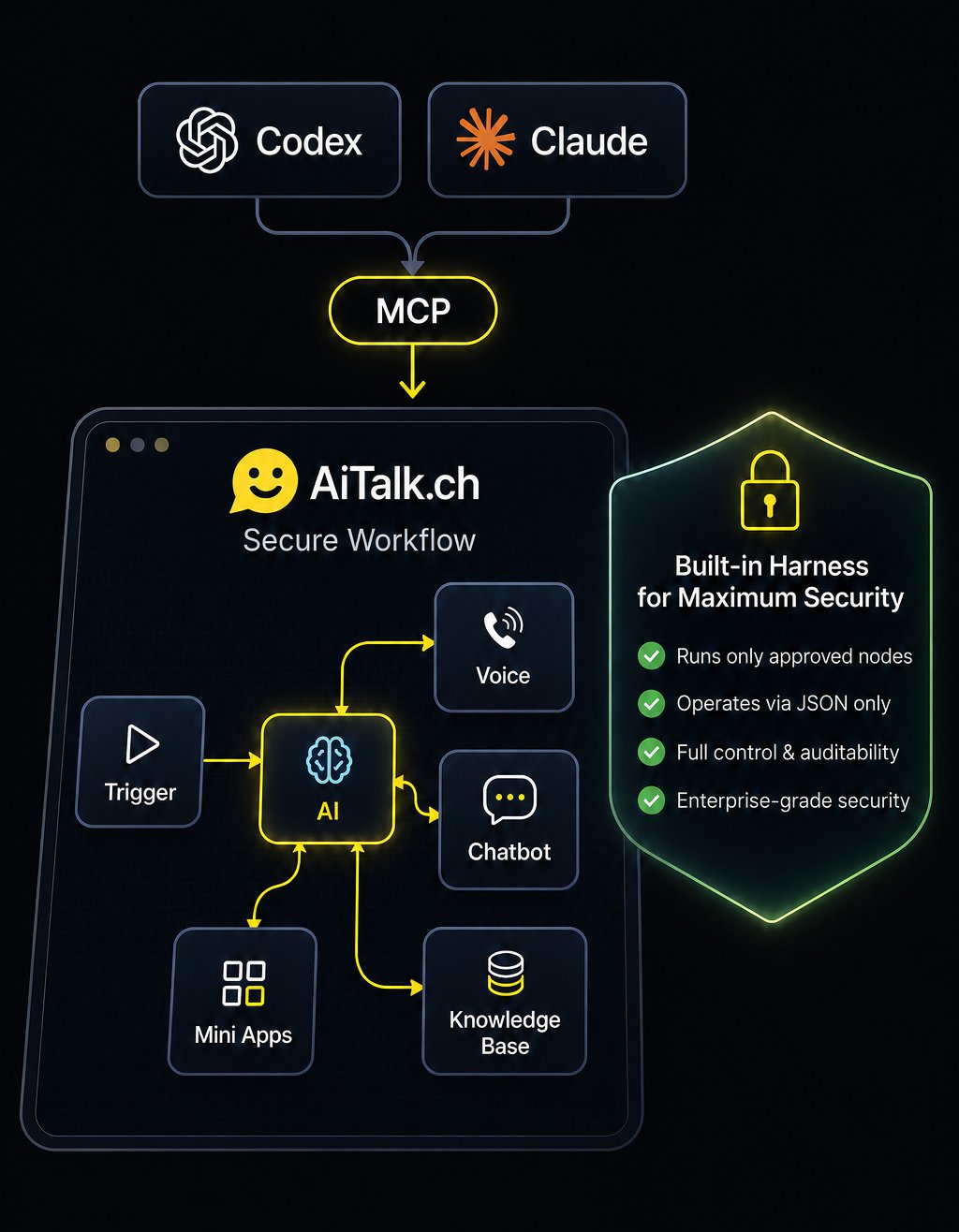
One Work App handles one job. In Agent Studio you place several Work Apps on a canvas and connect them like a workflow, so the apps pass data to each other — and when a period is closed and confirmed, its results move on to the next app.

• Within one company — the bank ledger matches incoming payments to your invoices, invoices and receipts feed the VAT return, and closed quarters move on to year-end closing.
• A group with several legal entities — give each company its own Work Apps and bring every company’s closed results together in one app that sees the whole group.
• Companies in several countries — give each country Work Apps that follow its rules, and connect them on the same canvas.
• Every hand-off waits until a person has confirmed.

When your company grows, you don’t start over — you add apps and draw more lines. Connect them by hand on the canvas, or let your coding agent do it for you over MCP.
Your AI, your data

You choose where the AI runs.

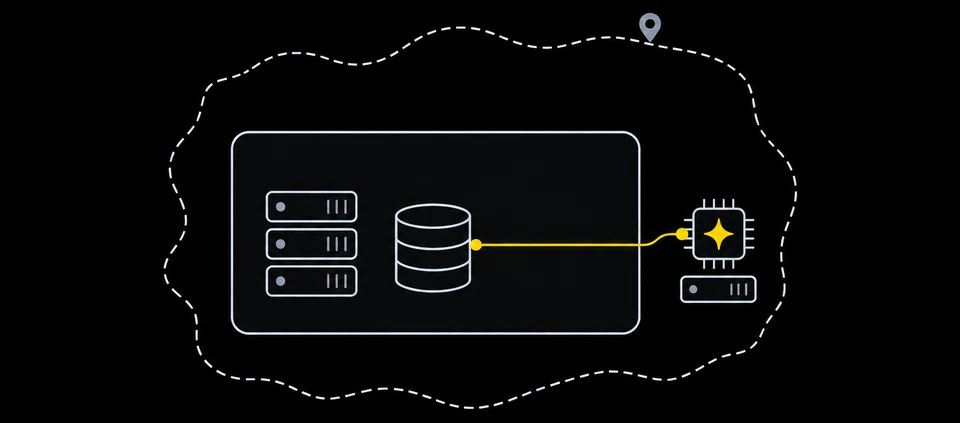
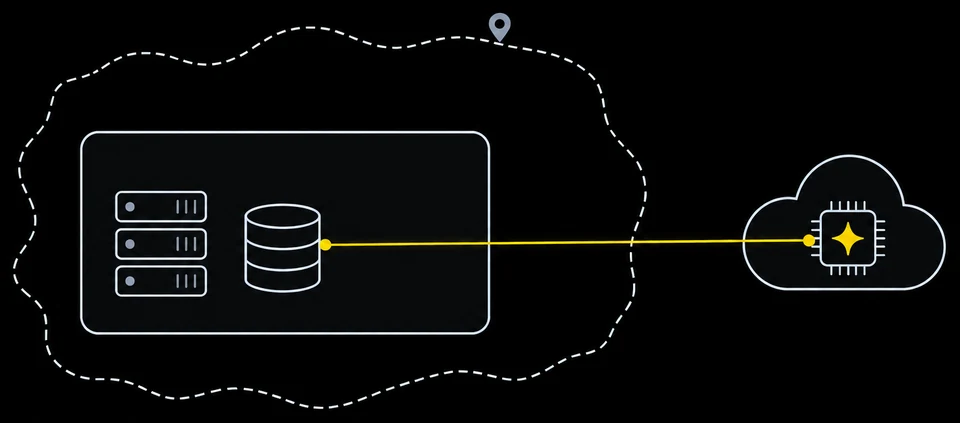
With Self-hosted, your data is always stored in your own database. You only choose where the AI model (LLM) runs — on your own server, in your country, or in the cloud.

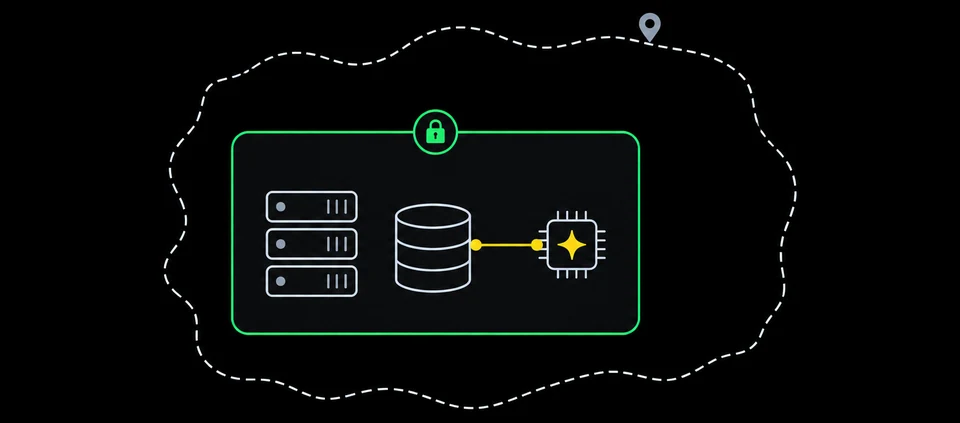
Your company with its servers, database and AI chip inside a locked green boundary, inside your country. The yellow line stays inside the company.

On your own server

Local LLM inside your company

Nothing leaves your network

Your company inside your country. The yellow line goes from your database out of the company to an AI server that is still inside the country border.

In your country

e.g. an LLM hosted in Switzerland

Leaves your company, stays in your country

Your company inside your country. The yellow line goes from your database out of the company and across the country border to an AI in the cloud.

Cloud AI

OpenAI · Azure OpenAI · Claude

The text the AI reads goes to that provider

AI Talk Cloud

Try the accounting Work Apps today.

No installation. Your data is stored in Switzerland.

  • Receipts

    Any country

  • Invoices

    Any country

  • VAT return

    Switzerland

  • Year-end closing

    Switzerland

Stored in Zurich

Operated from Switzerland

  • Your data is never used to train AI
  • No setup, no API keys

Why the numbers are right.

Built for work where a wrong number is not an option.

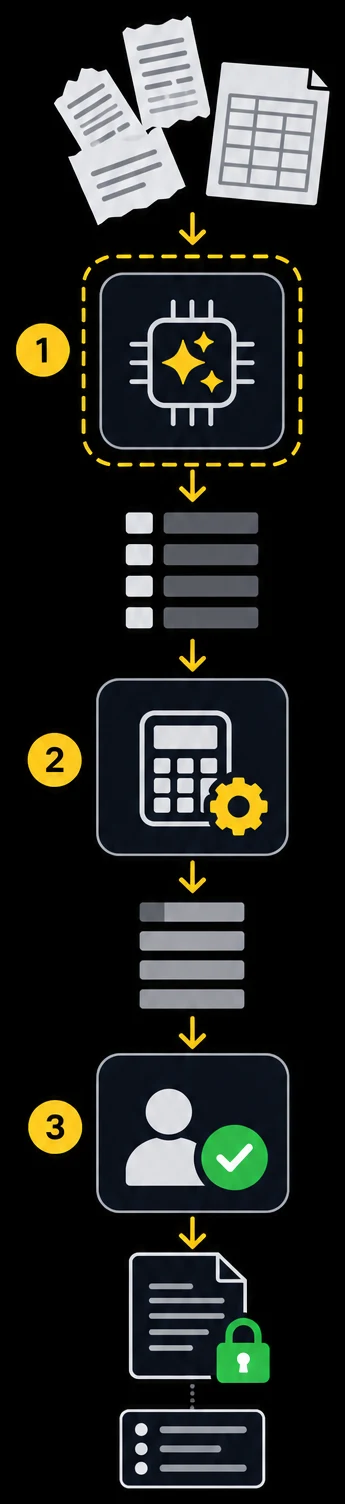
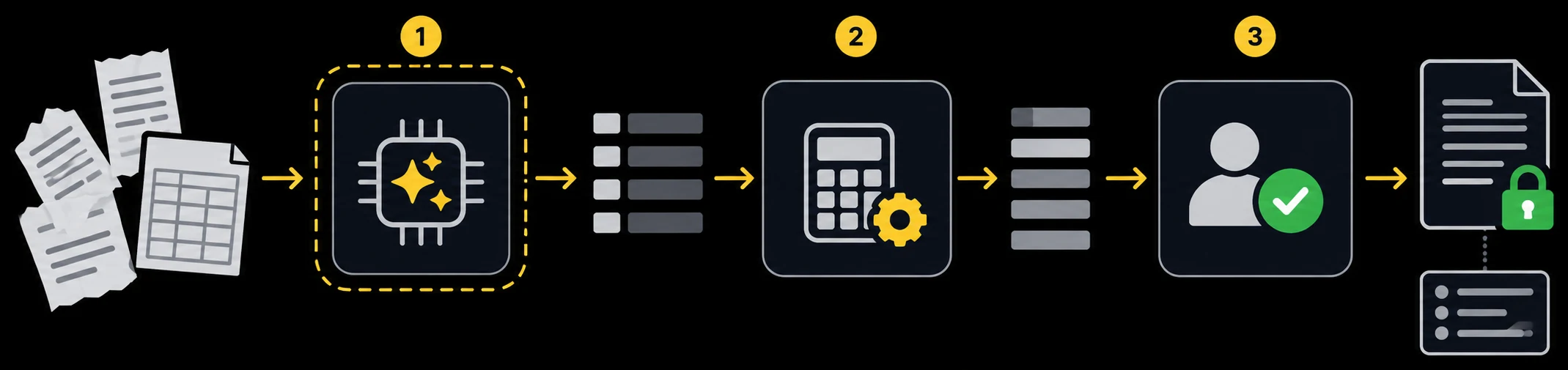
How a Work App turns messy receipts and bank files into a locked result: (1) the AI reads and sorts them inside a fence, (2) fixed code calculates the numbers, (3) a person confirms — then the result is locked and every step is logged.
  1. The AI reads and sorts

    Only with the tools the app allows.

  2. Fixed code calculates

    The AI never makes up a number.

  3. You confirm, then it's locked

    Every step is logged.

Why the AI can’t cross the line.

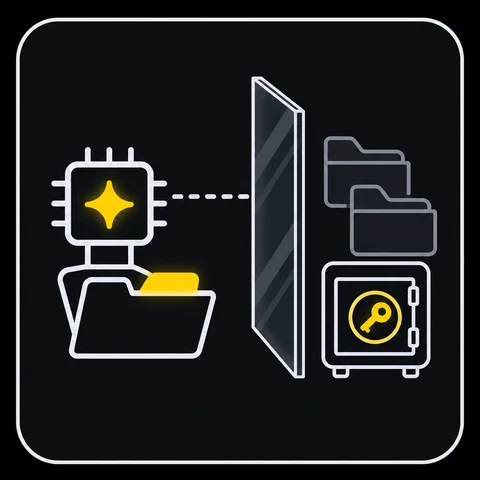
Today’s AI agents will do whatever it takes to reach a goal. The AI in a Work App never gets those keys in the first place.

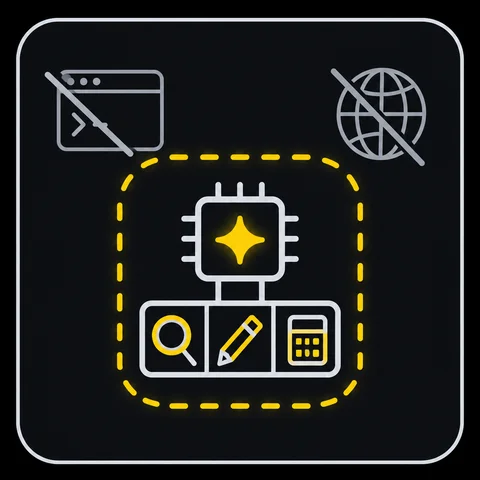
  • It only uses the tools it’s given

    It has no tool to run commands, execute code or browse the internet freely. It does only what the app allows.

  • It can’t see other data or passwords

    It can’t read other companies’ or other apps’ data, and connection passwords are never shown to the AI.

  • A person presses the button for anything that leaves

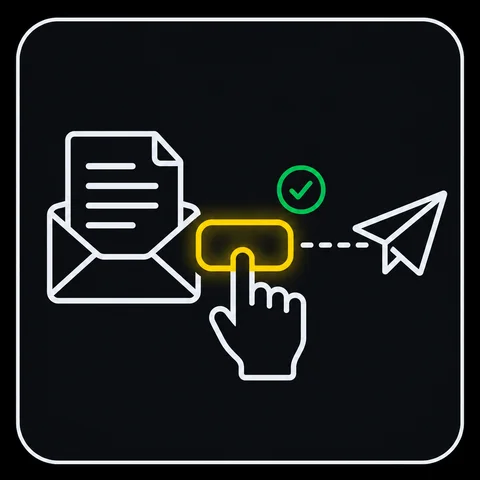
    Issuing an invoice, sending an email and closing a period all need a person to press a button — enforced by the server, not just the screen.

  • The AI can’t touch the record

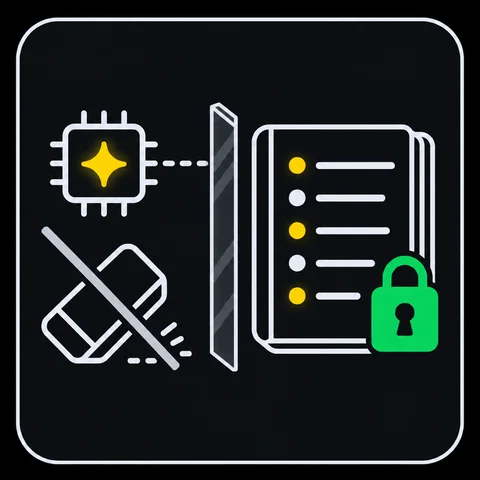
    Every change records who made it — a person or the AI. The AI has no tool to delete or edit that record, and a closed period can’t be changed by the AI or by anyone.

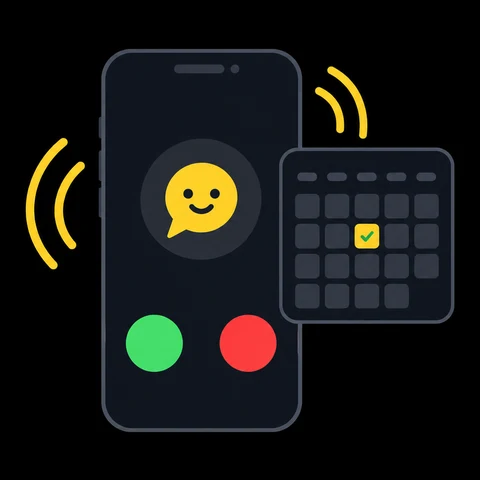
Even if a file tricks the AI with strange instructions, it still can’t issue an invoice, send an email or close a period — a person always presses that button.

Frequently asked questions

Short answers about AI Work Apps.

What is an AI Work App?

An AI Work App turns one piece of hard work — invoices, receipts, the VAT return, year-end closing or your own process — into an app. You tell the AI what you need in a chat. The AI does the work inside the app, fixed tested code calculates the exact numbers, and a person confirms before anything is final.

How is it different from workflow automation or a general AI agent?

Workflow tools are great at repeating the same steps — but when the input changes, someone has to fix the flow. General AI agents adapt to anything, and you decide what to block. A Work App sits in between: the AI handles the messy, changing input, but what it may do is set in the app from the start.

Why can I trust the numbers?

The AI does not calculate the amounts — fixed, tested code does, and the AI only quotes them. Inside a Work App the AI uses only the tools the app allows. Everything the AI writes stays unconfirmed until a person approves it, closed periods are locked, and every step is logged.

Which Work Apps can I use today?

AI Talk Cloud includes Work Apps for receipts and invoices (any country), and for the Swiss VAT return and year-end closing of Swiss GmbH and AG companies — the same Work Apps we use for our own companies. The AI prepares the numbers — you check them and submit them yourself. Try them free for 14 days.

Do I need technical or accounting skills?

No technical skills. Your team uses a Work App like a chat, and if you are not sure how something works, you just ask the AI. The AI asks you only what it cannot know — for example, what a payment without a receipt was for.

Can I build a Work App for my own process?

Yes. Install AI Talk Self-hosted on your own computer or company server, open it in a coding agent such as OpenAI Codex, Claude Code or Google Antigravity, and describe your process. Our step-by-step guide shows the agent how a Work App is made. Self-hosted is free for your own company. Built something others could use? Contact us to bring it to AI Talk Cloud.

Can I run AI Talk on my own server?

Yes. AI Talk Self-hosted is free for your own company and runs on your own server — even without internet access. It is source-available on GitHub. AI Talk Business adds business features and a commercial license for firms that serve several client companies.

Which AI does it use, and does my data leave my server?

AI Talk Cloud includes Microsoft Azure OpenAI Service — no API keys needed. With Self-hosted you choose: a cloud AI service (OpenAI, Azure OpenAI, Anthropic Claude), an AI hosted in your own country, or a model on your own server. With a cloud AI service, the text the AI reads goes to that provider; with a model on your own server, nothing leaves your network.

Where is my data stored, and is it used to train AI?

Your data is never used to train AI models. In AI Talk Cloud, your Work App data, conversations and accounts are stored in the Microsoft Azure region Zurich, Switzerland, and AI Talk is operated from Switzerland by M-BIZ Global AG. Some AI models are processed within the EU/EFTA or globally. With Self-hosted, everything stays on the server you choose.

How much does it cost?

Standard is EUR or CHF 100 and Pro is EUR or CHF 200 per month, excluding VAT, with the AI included. Starter in the mobile app costs CHF 22 per month in Switzerland and EUR 20–25 elsewhere. Every plan starts with a 14-day free trial. Self-hosted is free for your own company; Business is licensed separately.

Who We Are

AiTalk.ch builds AI Work Apps: apps in which AI does hard work for you — under your control. We started with the work we know best, our own accounting. Our Work Apps prepare invoices, sort receipts, match bank payments and get the VAT return and year-end closing ready, and we use them for our own companies. AiTalk.ch is developed and operated in Switzerland by M-BIZ Global AG.

Who We Help

Small and medium-sized companies that want their invoices, receipts, VAT and year-end done right — without extra staff and without hours of manual work. And developers and freelancers who want to build Work Apps for their own company or for their clients.

How It Works

Every Work App has the same simple screen. On the left, your work by month. In the middle, a chat with the AI — tell it what to do, or ask how something works. On the right, the app itself: the AI fills the tables and documents, fixed code calculates the numbers, and you confirm before a period is closed.

Build Your Own Work App

Every company has its own processes. With AI Talk Self-hosted — free for your own company — a coding agent can build a Work App for yours, on the same core: the same tables, the same confirm-before-final rules, the same audit log. AI Talk Business adds business features and a commercial license for firms that serve several client companies. Or tell us about your process and we build it together with you.

Between Workflow Automation and AI Agents

Workflow tools repeat the same steps reliably, but someone has to fix the flow whenever the input changes. General AI agents handle anything, and you decide what to block. A Work App combines the two: the AI handles the different file layouts, scanned receipts and odd cases, while the app decides from the start what the AI may do — and the exact numbers always come from fixed code.

Your Data Stays Yours

Your data is never used to train AI models. In AI Talk Cloud, your Work App data, conversations and accounts are stored in the Microsoft Azure region Zurich, and AI Talk Cloud is operated from Switzerland under the revised Swiss Federal Act on Data Protection (revFADP); some AI models are processed within the EU/EFTA or globally. With Self-hosted, your data stays on your own server, and with an AI on your own server, nothing leaves your network.

Easy to Use — Just Ask the AI

No manual, no training. Your team opens a Work App like a chat, says what needs to be done, and asks the AI whenever something is unclear. The AI asks back only what it cannot know.

Simple Pricing & 14-Day Free Trial

Standard and Pro in CHF or EUR, with the AI included — no API keys, no hidden fees. Starter in the mobile app from CHF 22 / €20 a month. Every plan starts with a 14-day free trial. Self-hosted is free for your own company, and Business is licensed separately.
Latest from the Blog

View all posts